











ProRack 9U Wall Mount Rack: Complete Guide for Business Use

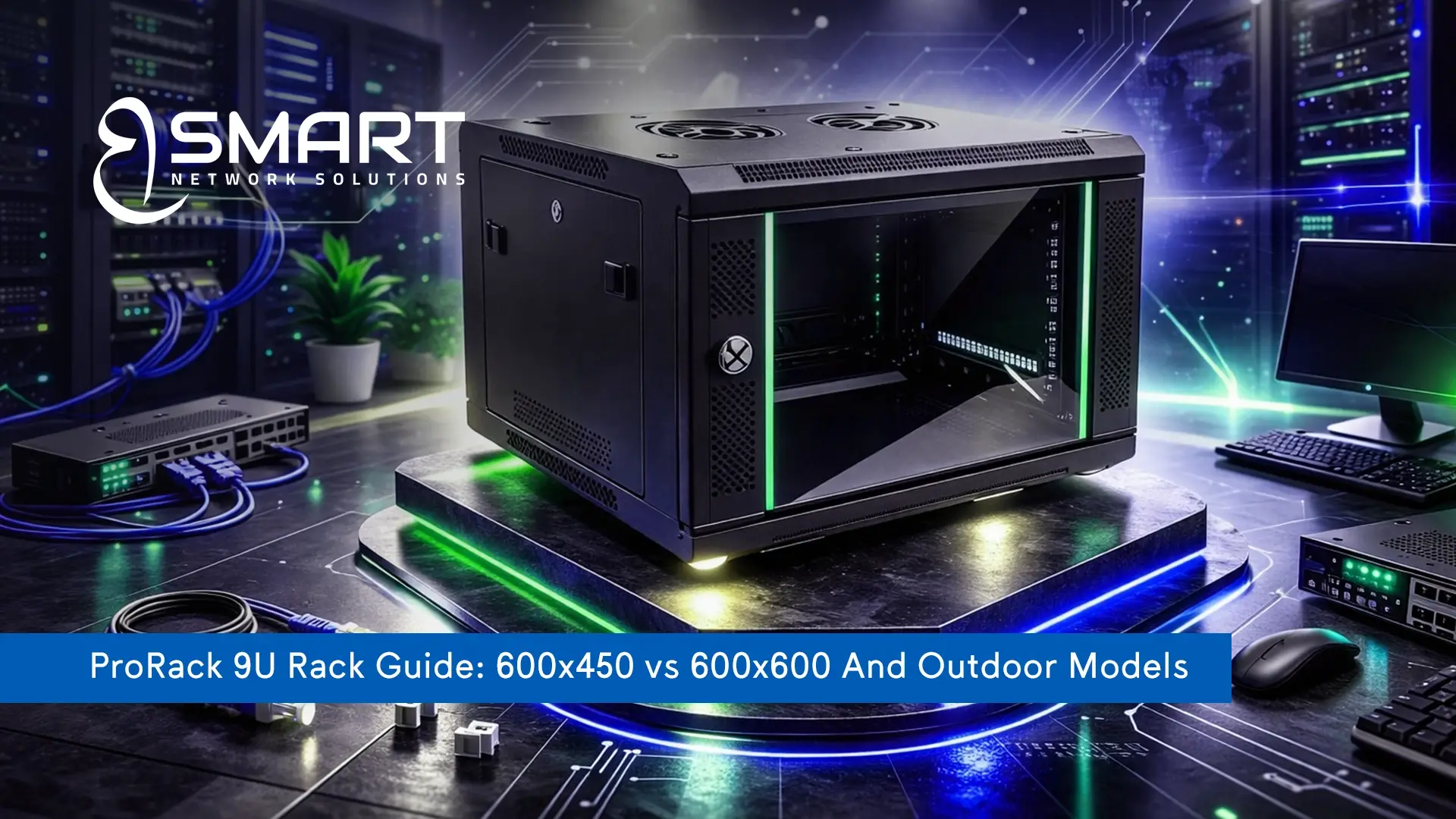
Looking for a reliable ProRack 9U wall mount rack? Whether you’re upgrading a small office or setting up a dedicated IT room, Rack 9U series delivers the ideal balance between space-saving design and professional performance.
At BSMART Networks, we help businesses choose the right 9U rack solution based on their operational needs, available space, and future expansion plans — not just what fits on the wall.
What Is ProRack 9U and Why Does It Matter?
A 9U rack refers to a cabinet with 9 rack units of vertical mounting space (1U = 1.75 inches). That gives you approximately 15.75 inches of usable height for installing:
- Patch panels
- Network switches
- Routers
- NVR/DVR systems
- Firewalls
- Small servers
- PDU units
Pro Rack 9U category is ideal for companies needing neat cable management and secure equipment storage. It avoids the need to install a full-height floor rack.
Why ProRack 9U Is a Good Choice for Your Company
Pro Rack 9 U wall mount rack is a smart investment for companies that need secure, organized, and space-efficient network infrastructure.
Perfect Balance Between Size & Capacity
The rack 9u offers more flexibility than smaller 4U or 6U cabinets while still saving space. It’s compact, wall-mounted, and designed for organized installations.
Space-Saving Wall Mount Design
No need for dedicated floor space. Wall mounting keeps your network secure and away from accidental damage.
Strong & Durable Construction
ProRack cabinets feature premium-grade steel frameworks, sturdy lockable doors, and airflow-ready ventilation to maximize cooling performance.
Professional Cable Management
Say goodbye to messy wiring. A 9u rack ensures structured cable routing and easier maintenance.
Scalability for Growth
Planning to add more switches or surveillance systems? The extra U space gives you room to expand.
Available ProRack 9U Models at BSMART Networks
At BSMART Networks, we provide a full range of Pro Rack 9U wall mount racks, including
indoor and outdoor models in different sizes to match your business needs. Below, you’ll find a breakdown of each model to help you choose the right solution.
ProRack 9U Outdoor Wall Mount 600×450
Ideal for outdoor environments or industrial settings.
ProRack 9U Outdoor Best for :
- CCTV outdoor installations
- Factories
- Warehouses
- Parking areas
ProRack 9U 600×450 Wall Mount Cabinet
Compact depth, perfect for standard networking equipment.
ProRack 9U 600×450 Wall Mount Best for:
- Small offices
- Clinics
- Retail shops
- Schools
ProRack 9 U 600×600 Wall Mount Cabinet
Deeper design for larger devices and better cable management.
ProRack 9 U 600×600 Best for:
- Medium offices
- Server rooms
- Branch companies
Best Benefits of Rack 9U
Improved Equipment Protection
Lockable front doors prevent unauthorized access.
Better Airflow
Ventilation design supports cooling and prevents overheating.
Organized Network Infrastructure
Clean cable routing reduces troubleshooting time.
Cost-Effective Solution
Cheaper than large floor racks while providing enough capacity.
Easy Maintenance
Swing-out or removable side panels make servicing simple.
Where Can You Use ProRack 9U?
The racks 9u indoor and outdoor models are versatile and can be installed in:
- Offices
- Banks
- Hospitals
- Schools
- Retail stores
- Factories
- Warehouses
- Surveillance control rooms
- Telecom rooms
If you need something slightly smaller, ProRack also offers 6U and 4U options depending on your infrastructure size.
How to Install ProRack 9U Wall Mount Rack
Installing a Pro Rack 9U wall mount cabinet is a straightforward process when done correctly. Proper installation ensures safety, stability, and long-term performance of your networking equipment.
Step 1: Choose the Right Location
Select a solid concrete or brick wall that can handle the rack’s weight plus installed equipment.
Make sure the area has:
- Proper ventilation
- Easy cable access
- Nearby power source
Step 2: Measure and Mark Drill Points
- Use the rack’s mounting holes as a guide.
- Ensure the cabinet is aligned properly using a level tool.
Step 3: Install Heavy-Duty Anchor Bolts
- Drill holes and secure strong anchor bolts.
- This step is critical to safely support your 9U rack once loaded with switches and devices.
Step 4: Mount Pro Rack 9U Cabinet
- Lift and secure the cabinet onto the installed anchors.
- Double-check that it is firmly fixed and level.
Step 5: Install Rails and Equipment
Adjust internal mounting rails depending on device depth (especially for 600×600 models).
Install:
- Patch panels
- Switches
- Router
- Firewall
- NVR (if applicable)
Step 6: Organize and Secure Cabling
Use cable managers and proper routing techniques to maintain airflow and easy maintenance access.
Difference Between ProRack 9U Outdoor And Indoor
Understanding this difference helps you avoid costly mistakes.
ProRack 9U Outdoor Wall Mount
- Weather-resistant
- Better sealing
- Designed for external environments
- Protection against dust & humidity
- Ideal for CCTV and telecom outdoor applications
ProRack 9U Wall Mount (Indoor)
- Designed for office/server rooms
- Standard ventilation
- Lightweight structure
- Ideal for indoor networking
If your rack will be exposed to heat, rain, or dust, always choose the outdoor model.
Is ProRack 9U Good for Large Companies or Small Businesses?
Pro Rack 9U wall mount rack is a versatile solution that works perfectly for small businesses and can also support specific needs within large companies. The suitability depends on the size of your infrastructure and the amount of equipment you need to install.
For Small Businesses
It’s perfect for:
- 1–3 switches
- Router + firewall
- Patch panel
- Small NVR
For Large Companies
It depends. For:
- Branch offices → YES
- Small server rooms → YES
- Main data center → You may need 27U–42U floor standing racks
This is where BSMART Networks helps — we assess your infrastructure before recommending.
Why You Must Buy ProRack 9U from BSMART Networks
Choosing the right rack isn’t just about buying a cabinet. It’s about getting the right solution.
Here’s Why Businesses Trust Us:
- Professional consultation before purchase
- Genuine ProRack products
- Multiple size options available
- Competitive pricing
- Technical support
- Installation services
- Fast delivery
We don’t just sell racks — we build structured network solutions.
If you’re building or upgrading your IT infrastructure, let our experts help you choose the best pro rack 9 u that matches your equipment, space, and budget.
Ready to Upgrade Your Network Infrastructure?
Whether you’re launching a startup, expanding a branch office, or organizing your surveillance system, ProRack 9U is a reliable, professional solution.
At BSMART Networks, we help you choose the right rack, install it properly, and ensure your infrastructure is built for performance and growth.
Contact BSMART Networks today and let our experts design the perfect rack solution for your company.
Frequently Asked Questions About ProRack 9U
What does 9U mean in rack cabinets?
9U means 9 rack units of vertical space. Each U equals 1.75 inches.
Is Pro Rack 9U suitable for servers?
It supports small servers and networking equipment but not large enterprise servers.
What is the difference between Rack 9U 600×450 and 600×600?
600×600 provides more depth for larger devices and better cable management.
Can I use 9U rack for CCTV systems?
Yes, especially the outdoor version for external camera installations.
Is wall mounting safe for heavy equipment?
Yes, if properly installed on a solid wall using anchor bolts.
What’s better: 6U or 9U?
If you plan future expansion, 9U is the smarter choice.
How do I know which rack size I need?
List your equipment and consult BSMART Networks for accurate sizing.
Can Pro Rack 9U be used outdoors?
Yes, but only the dedicated outdoor model.