










Difference Between Standing Racks and Wall Mount Racks

In Egypt, server rack prices are driven by U-capacity, steel thickness, load capacity, airflow design, included accessories (fans, PDUs), and whether the rack is sourced locally with warranty and support.
Understanding the Difference Between Standing Racks and Wall Mount Racks options is a practical buying decision for Egyptian businesses. The right choice affects cooling costs, maintenance effort, scalability, and long-term reliability—especially in warmer operating environments.
What Is a Network Rack Cabinet? (Buyer Context)
Before comparing formats, clarify what is a network rack cabinet. It’s a standardized enclosure built to EIA-310 compliance that mounts 19-inch IT equipment—switches, routers, servers, patch panels, and PDUs—by U-capacity (e.g., 18U, 27U, 42U).
A cabinet’s real job is to control heat, protect equipment, organize cabling, and allow growth without rework.
How Network Racks Work (Network Rack Explained)
How network racks work comes down to structure and airflow. Devices mount vertically on rails; cold-rolled steel frames provide rigidity and grounding; airflow management (perforated doors, fan trays) moves heat away; cable management keeps paths clear; and PDUs centralize power safely.
When these elements align, cooling efficiency improves and downtime drops.
Difference Between Standing and Wall Mount Rack (Technical Comparison)
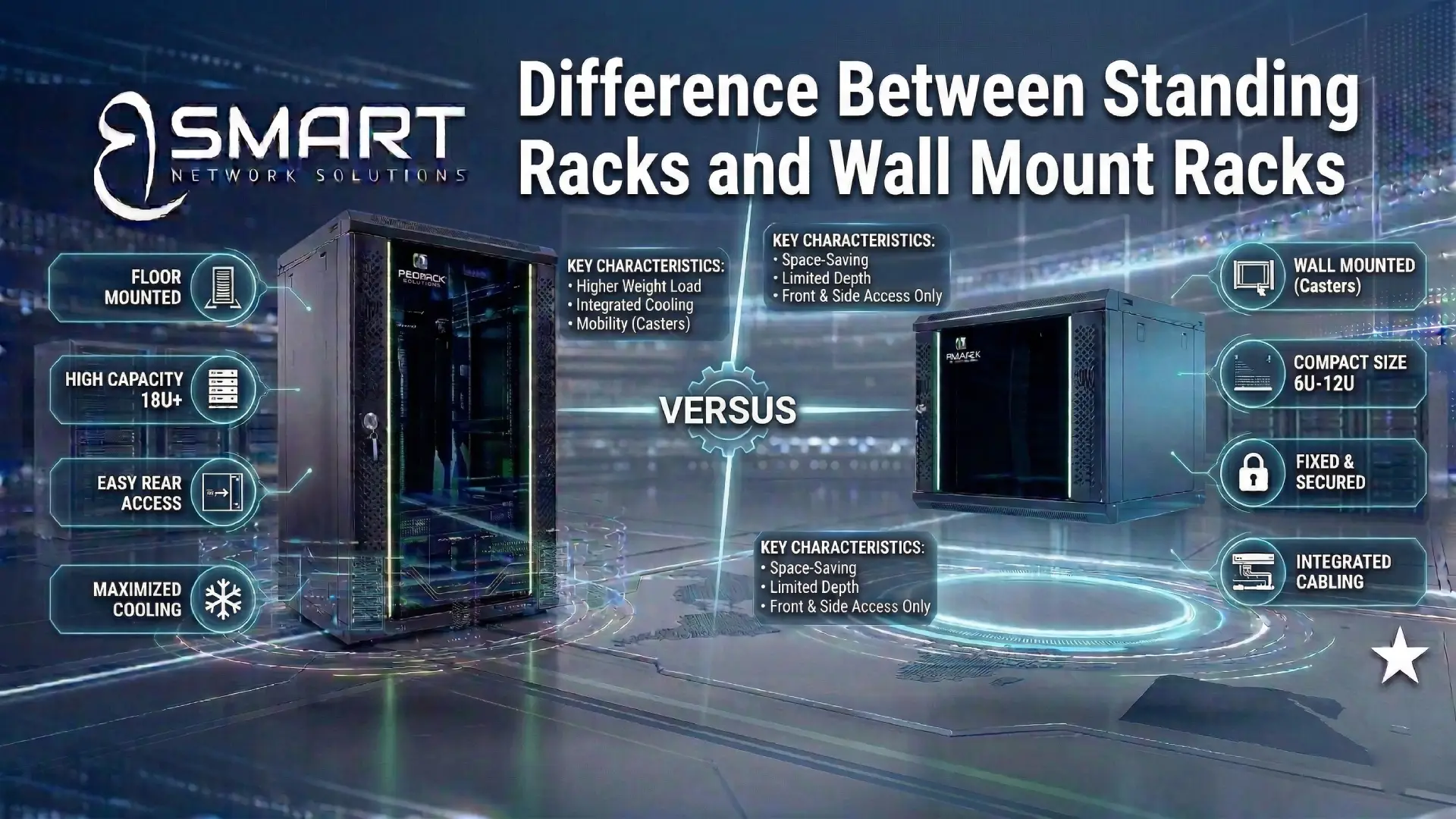
Standing Racks
- Installation: Floor-mounted
- Load capacity: High (servers, UPS, PDUs)
- Typical sizes: 18U, 27U, 42U
- Access: Front and rear
- Use cases: Server rooms, scalable business networks
Standing racks suit environments expecting growth, heavier equipment, or frequent maintenance.
Wall Mount Racks
- Installation: Fixed to wall
- Load capacity: Limited
- Typical sizes: 6U–15U
- Access: Front/side
- Use cases: Switch closets, CCTV NVRs, small offices
Wall mounts save space but cap expansion and cooling options.
Types of Network Racks by U-Capacity
Choosing size is as important as choosing format:
- 18U: Branch offices, CCTV rooms, compact IT closets
- 27U: Growing businesses with mixed networking and servers
- 42U: Server rooms and data-heavy environments
Under-sizing increases heat density and forces early replacement.
Buying Factors That Matter in the Egyptian Climate
When evaluating options—or planning to buy ProRack network rack solutions—prioritize factors that reduce total cost of ownership:
- Cooling design: Front perforation, fan support, clear exhaust paths
- Steel quality: Thicker cold-rolled steel resists heat and vibration
- Load rating: Headroom for servers and UPS growth
- Local supply: Faster replacements and valid warranty
Expert Insight:
“In Egypt, poor airflow costs more than the rack itself. Better cabinets reduce hotspot temperatures, cutting cooling spend and extending hardware life.”
— Internal Networking Expert, 15+ years field experience
Supplier & Brand Considerations (BoFu)
Procurement teams often compare ProRack rack cabinet for sale listings or check ProRack network rack price online. The differentiator is authorized local supply.
Working with a trusted network rack cabinet supplier Egypt ensures genuine specs, accessory availability, and after-sales support. Many organizations standardize through ProRack Egypt channels with experienced integrators such as Bsmart Networks, where consultation and lifecycle support are part of the engagement.
Final Takeaway for Decision-Makers
Selecting between standing and wall-mounted cabinets is an infrastructure decision, not a commodity choice. Define your load, heat profile, access needs, and growth plan first. In most B2B environments, standing racks deliver superior cooling efficiency, scalability, and long-term value—especially when sourced through reliable local partners.