










Passive vs Active Networking: Components, Roles, Skills, and Career Paths

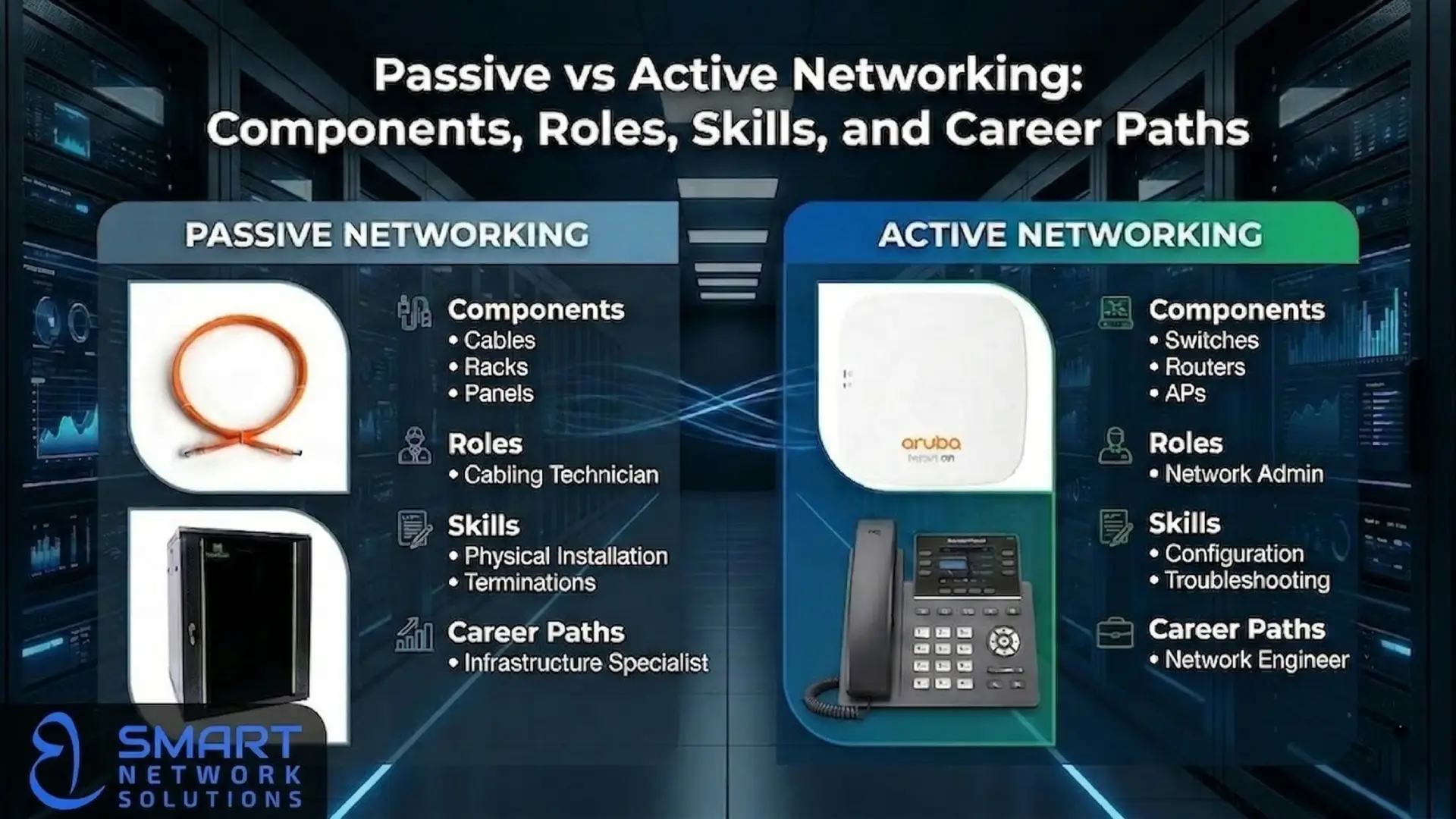
In the rapidly evolving digital landscape of the Middle East, from the tech hubs of Dubai to the industrial cities of Saudi Arabia, a robust IT infrastructure is the backbone of every successful enterprise. However, when building or upgrading a network, many business owners and junior engineers often find themselves confused by two fundamental terms: Passive vs Active Networking.
Think of a modern office building. Passive networking is like the physical structure—the walls, the plumbing, and the electrical conduits. Active networking is the electricity and the smart systems that make the building habitable and functional. You cannot have one without the other.
In this guide, we will break down these two critical pillars of IT infrastructure, helping you understand their roles, the skills required to master them, and how they work together to keep the world connected.
What is Passive Networking?
Passive networking refers to the physical components of a network that do not require an electrical power source to function or process data. These components serve as the “highway” or the medium through which data signals travel. Their primary job is to provide a reliable, organized, and high-quality physical path for data.
Read: How to build a complete ip telephony system.
Key Components of Passive Networking
When we talk about what passive networking is, we are discussing the “Structured Cabling” system. This includes:
- Ethernet Cables (Copper):
- Cat6: Supports speeds up to 1 Gbps and is the standard for most office environments.
- Cat6a: An augmented version that supports 10 Gbps speeds over longer distances (up to 100 meters), making it ideal for data centers.
- Fiber Optic Cables: Used for high-speed, long-distance data transmission. Unlike copper, fiber uses light pulses and is immune to electromagnetic interference.
- Patch Panels: A static panel used to organize and connect multiple network cables. It acts as a central “switchboard” for the physical layer.
- Network Racks and Cabinets: The physical enclosures that house both passive and active equipment. Proper rack installation ensures airflow and organization.
- Keystone Jacks and Wall Plates: The “outlets” on the wall where users plug in their computers or access points.
- Cable Management: Tools like Velcro ties, cable trays, and horizontal managers that keep the “spaghetti” of wires neat and traceable.
Responsibilities in Passive Networking
Passive networking is more than just “plugging in wires.” It requires meticulous planning and physical precision.
- Design and Layout: Planning the shortest and most efficient cable paths to minimize signal loss.
- Physical Installation: Pulling cables through conduits, ceilings, and underfloor systems.
- Termination: Precisely connecting the tiny copper wires inside a Cat6 cable to a jack or patch panel.
- Testing and Certification: Using specialized tools (like a Fluke tester) to ensure every cable meets international standards for speed and reliability.
- Labeling: Ensuring every single cable and port is clearly labeled so that future troubleshooting takes seconds, not hours.
Required Skills for Passive Networking
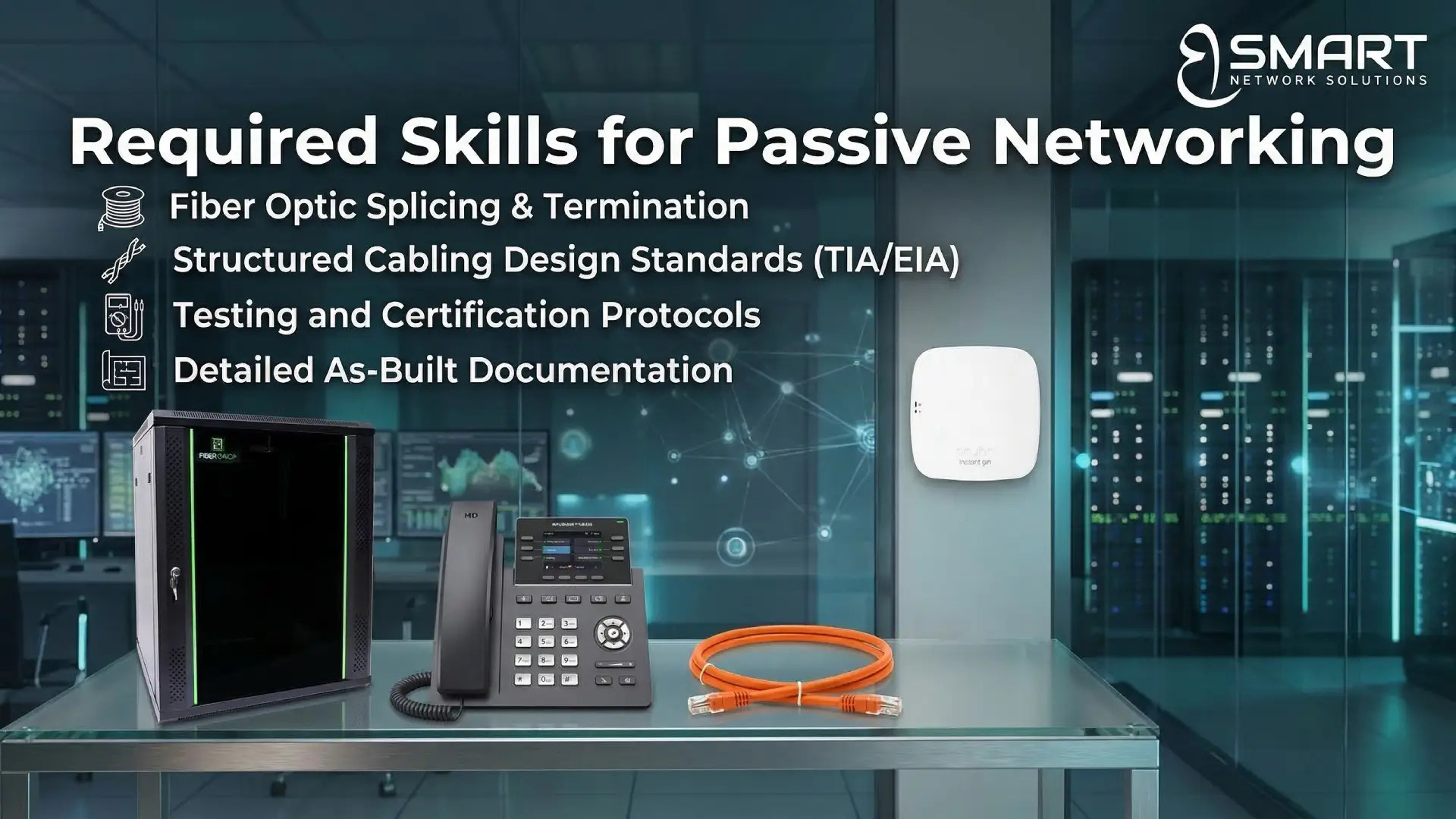
To excel in this field, you need a mix of technical knowledge and physical dexterity:
- Attention to Detail: A single poorly terminated wire can cause “cross-talk” or signal failure.
- Understanding Standards: Knowledge of TIA/EIA standards for cabling.
- Physical Stamina: You may be working in ceilings, data center cold aisles, or construction sites.
- Technical Knowledge: Understanding the types of Ethernet cables (Cat6 vs Cat6a vs Fiber) and when to use each based on distance and bandwidth needs.
Common Job Titles
- Structured Cabling Technician
- Infrastructure Engineer
- Fiber Optic Technician
- Telecom Installer
What is Active Networking?
Active networking consists of the devices that require power to operate. These devices actively manage, switch, route, and process the data packets traveling through the passive infrastructure. If the passive network is the road, the active network consists of the traffic lights, the vehicles, and the GPS system.
Key Components of Active Networking
Active components are the “brains” of the operation. They rely heavily on the TCP/IP protocol—the universal language of the internet—to communicate.
- Network Switches: These connect devices within a single building or campus. They “switch” data only to the specific device it was intended for.
- Routers: The gateways that connect different networks (like connecting your office to the internet). They determine the best path for data to travel.
- Firewalls: Security devices that monitor and control incoming and outgoing network traffic based on security rules.
- Wireless Access Points (APs): Devices that allow Wi-Fi-enabled equipment to connect to the wired network.
- Servers: Powerful computers that provide data, services, or programs to other computers (clients) over the network.
Responsibilities in Active Networking
Active networking is focused on logic, configuration, and security.
- Device Configuration: Setting up IP addresses, VLANs (Virtual Local Area Networks), and routing protocols.
- Network Monitoring: Using software to ensure the network is running at peak performance and identifying bottlenecks.
- Security Management: Updating firewall rules and ensuring the network is protected from cyber threats.
- Troubleshooting Logic: Determining why a user can’t access a specific server or why the internet is slow.
- Firmware Updates: Keeping the software on hardware devices up to date to prevent bugs and security holes.
Read: Building a business communication system.
Required Skills for Active Networking

This path is more academic and logic-based:
- Protocol Knowledge: A deep understanding of the what is TCP/IP protocol and how the OSI model works.
- Command Line Interface (CLI): Proficiency in configuring devices via text commands (Cisco IOS, Juniper, etc.).
- Analytical Thinking: The ability to trace a data packet’s path to find where it is getting lost.
- Cybersecurity Awareness: Understanding how to close ports and encrypt data.
Common Job Titles
- Network Administrator
- Network Engineer (L1/L2/L3)
- Systems Integrator
- IT Security Specialist
Key Differences: Passive vs Active Networking
| Feature | Passive Networking | Active Networking |
| Power Source | No electrical power required. | Requires electrical power to function. |
| Primary Function | Provides the physical path for data. | Processes, routes, and manages data. |
| Components | Cables, Racks, Patch Panels. | Routers, Switches, Firewalls. |
| Lifespan | Usually 15–20 years (long-term). | Usually 5–7 years (hardware refresh). |
| Failure Type | Physical (broken cable, loose jack). | Logical (config error, software bug). |
| Key Knowledge | Physical standards (TIA/EIA). | Logic protocols (TCP/IP, BGP). |
How Passive and Active Networking Work Together
To visualize how these two work together, let’s look at a real-world scenario: setting up a new branch office for a company in Giza or Riyadh.
- The Foundation (Passive): The infrastructure team installs Cat6a cables from the server room to every desk. They mount a network rack, install patch panels, and ensure every cable is tested and certified. Without this, there is no way for electricity or data to move.
- The Intelligence (Active): Once the cabling is ready, the network engineers install a 48-port switch into the rack. They connect the patch panel ports to the switch using short patch cords. They then configure a Router and a Firewall to provide internet access and security.
- The Result: A user plugs their laptop into a wall jack. The signal travels through the Cat6a cable (Passive), hits the Patch Panel (Passive), enters the Switch (Active), and is routed to the Internet (Active) via the Router (Active).
If the cable is poor quality, the most expensive Cisco switch in the world won’t provide a fast connection. Conversely, if the switch is poorly configured, the best fiber optic cable won’t help you get online.
The Commercial Angle: Why Professional Installation Matters
For business owners, cutting costs on networking might seem tempting, but it often leads to “Network Downtime”—the silent killer of productivity.
Hiring a passive networking solutions company or an active networking solutions provider ensures that your system is scalable. Professionals use high-quality materials from brands like Bsmart Networks to ensure that your infrastructure can handle the technology of tomorrow, not just today.
Benefits of Outsourcing to Experts:
- Compliance: Ensuring your data center meets international fire and safety codes.
- Future-Proofing: Installing Cat6a or Fiber now saves you from ripping out walls to upgrade cables in three years.
- Warranty: Professional installers often provide a 15-25 year warranty on structured cabling.
Career Path Advice: Which One Should You Choose?
If you are a fresh graduate, you might wonder which path is better.
- Choose Passive Networking if: You enjoy hands-on work, architecture, and seeing a physical result of your labor. It is a stable field because every new building needs wires.
- Choose Active Networking if: You enjoy solving puzzles, working with software, and are interested in the “invisible” logic of how the internet works.
Expert Tip: The most successful IT professionals in the Middle East are those who understand both. Even if you want to be a high-level Network Security Engineer, knowing how a fiber optic cable is spliced will make you a much better troubleshooter.
Understanding the difference between passive and active networking is the first step toward building a career in IT or building a reliable business infrastructure. Passive networking is your foundation; active networking is your engine. This Passive vs Active Networking comparison helps you clearly see how each component works together to create a stable, high-performance network.
Are you looking to build a world-class IT environment for your business? Or perhaps you need a reliable network rack installation service to organize your existing setup?
Take the next step with Bsmart Networks. Whether you need a fiber optic installation company or an active networking solutions provider, our team of experts is ready to design an infrastructure that grows with you.
Ready to optimize your network? [Contact Bsmart Networks today] for a professional consultation on your structured cabling and active hardware needs.