












Huawei eKit Switch Comparison: S310, S530, S620 & S210I

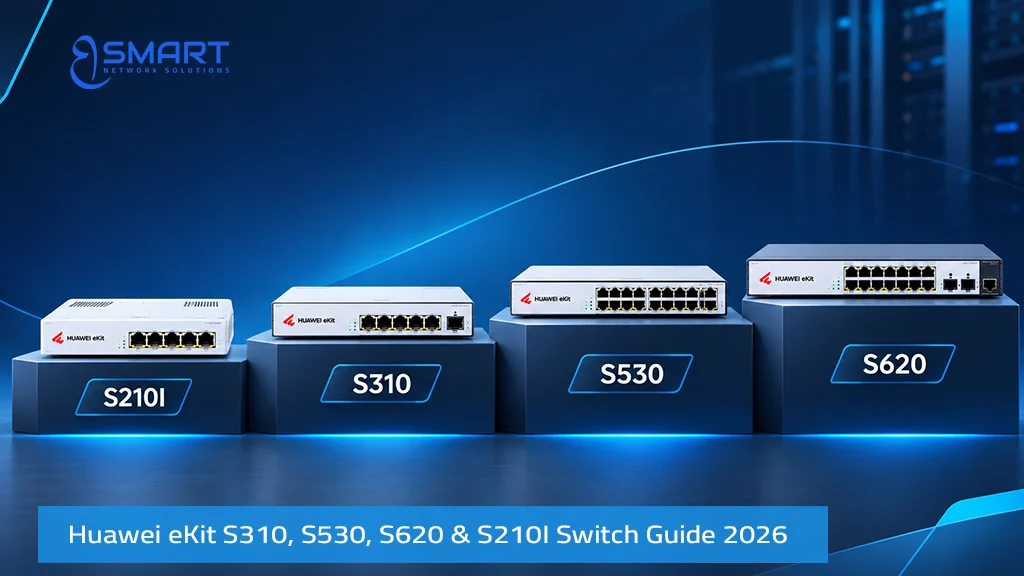
The Huawei eKit S310, S530, S620, and S210I switches serve different business networking needs, from advanced access switching and fiber aggregation to campus core networks and industrial connectivity.
This guide compares their capabilities, port configurations, and deployment scenarios to help IT managers and network engineers choose the right switch for projects in Egypt and the Middle East.
Quick Answer: Choose a suitable Huawei eKit S310 model for Layer 3 routing, supported PoE features, or 2.5GE connectivity. Use the S530 for fiber aggregation, the S620-24T16X8Y2CZ for high-capacity campus core networks, and the S210I for rugged industrial environments. Features vary by model and configuration.
Which Advanced Huawei eKit Switch Fits Which Architecture Tier?
The 19 advanced SKUs map across four distinct architectural tiers. Matching the correct tier before comparing part numbers ensures proper topology sizing. It also prevents premature hardware replacements as traffic grows.
| Architecture Tier | Switch Family & Representative SKUs | Key Technical Capabilities | Primary Network Role |
|---|---|---|---|
| Tier 1: Advanced Access (L2/L3) | S310-24T4X, S310-24P4S, S310-24P4X, S310-48T4S, S310-48T4X, S310-48P4S, S310-48P4X | Layer 3 static routing, PoE+ (up to 30 W/port), 1GE SFP or 10GE SFP+ uplinks | Commercial office floors, corporate workstations, VoIP phones and CCTV |
| Tier 2: Multi-GE & High-Power Access | S310-24PN4X, S310-48PN4X, S310-24T8J4X, S310-24U4X, S310-48HP4X | 2.5GBASE-T ports, 60 W/90 W PoE++ delivery, expandable modular PSU options | Ceiling-mounted Wi-Fi 6/7 access points, high-draw PTZ cameras and access controls |
| Tier 3: Fiber Aggregation & Core | S310-24ST4X, S310-48S4X, S530-24ST4XE, S530-48S4XE, S620-24T16X8Y2CZ | High SFP/SFP+ density, dedicated 10GE hardware stacking, 25GE/100GE uplinks, OSPF | Multi-floor optical aggregation, campus distribution and SME core routing |
| Tier 4: Rugged Industrial Access | S210I-8T4SX, S210I-8P4SX | Fanless natural convection, DIN-rail mounting, -40 °C to +75 °C, dual redundant DC feeds | Manufacturing plants, roadside traffic poles, solar CCTV and harsh outdoor cabinets |
When Should I Choose the S310 Over the S220?
The step up from the S220 to the Huawei eKit S310 switch family is driven by four primary technical requirements:
- Layer 3 routing boundaries: The S310 routes inter-VLAN traffic directly on the floor switch. This eliminates traffic hairpinning through the core firewall. Review our VLAN configuration guide for setup details.
- Perpetual and Fast PoE: Perpetual PoE maintains continuous power to cameras during switch reboots. Fast PoE restores power within seconds after cold starts. Check our PoE switch guide for wattage calculations.
- Multi-Gigabit Wi-Fi 7 backhaul: High-density wireless access points require Multi-GE ports. The S310 PN models provide 2.5 Gbps copper ports to prevent 1 Gbps port bottlenecks.
- Optical SFP access: When designs require fiber-to-the-room (FTTR) or noise-immune optical links, the S310 ST and S models offer dedicated Gigabit SFP downlinks.
If your installation requires flat Layer 2 switching without local routing, deploying an S220 or S220S switch remains the more economical approach.
Which Huawei eKit Switches Support Layer 3 Features?
In the Huawei eKit switching portfolio, Layer 3 hardware forwarding is provided across the S310, S530 and S620 series. The S210I series operates strictly as a hardened Layer 2 industrial switch.
A Layer 2 switch forwards frames within the same broadcast domain using MAC addresses. In contrast, a Layer 3 switch routes IP packets across subnets in silicon. This enables local isolation between workstations, IP surveillance, guest Wi-Fi and server segments while maintaining wire-speed routing. The S310 handles floor access routing, while the S530 and S620 platforms are designed for heavy aggregation with dynamic protocols like OSPF. Specific routing protocols and scale limits depend on individual models and firmware versions.
Huawei eKit S310 Series: Models, Port Types & Uplink Options
The Huawei eKit S310 series encompasses 14 distinct models divided into four specialized functional groups. The hardware naming convention identifies the exact physical port configuration:
- T = Gigabit RJ45 copper ports (non-PoE)
- P = Gigabit RJ45 PoE+ ports (up to 30 W per port)
- PN = 2.5GE Multi-Gigabit copper ports with PoE+
- S = Gigabit SFP optical ports (1GE SFP uplinks when labeled “4S”)
- J = 2.5GE SFP optical ports
- X = 10GE SFP+ optical ports (10GE SFP+ uplinks when labeled “4X”)
- U / HP = Ultra PoE++ and high-power PoE options
Critical engineering distinction: Uplink bandwidth varies significantly across the S310 series. Models ending in 4S (such as the S310-24P4S and S310-48P4S) provide four 1GE SFP optical uplinks. In contrast, models ending in 4X (such as the S310-24P4X and S310-48P4X) feature four 10GE SFP+ optical uplinks.
| Sub-Group | Hardware SKUs | Access Downlink Ports | Uplink Interfaces | Target Deployment Scenario |
|---|---|---|---|---|
| A. Standard Gigabit | S310-24T4X, S310-24P4S, S310-24P4X, S310-48T4S, S310-48T4X, S310-48P4S, S310-48P4X | 24 or 48 × GE RJ45 (P models provide PoE+) | 4S: 4 × 1GE SFP 4X: 4 × 10GE SFP+ |
Corporate office access, standard PoE telephony, IP surveillance |
| B. Multi-Gigabit (2.5GE) | S310-24PN4X, S310-48PN4X | 24 or 48 × 2.5GBASE-T Multi-GE PoE+ ports | 4 × 10GE SFP+ | High-speed Wi-Fi 6 and Wi-Fi 7 access point connectivity, universities, medical centers |
| C. All-Fiber Access | S310-24ST4X, S310-48S4X | 24 × GE SFP (with 8 combo GE) or 48 × GE SFP | 4 × 10GE SFP+ | Hospitality fiber-to-the-room, noise-sensitive audio/video, EMI industrial risers |
| D. High-Power PoE++ | S310-24T8J4X, S310-24U4X, S310-48HP4X | 24 or 48 × GE with 60 W/90 W PoE++ capabilities | 4 × 10GE SFP+ (24T8J4X adds 8 × 2.5GE SFP) | Heavy outdoor PTZ domes, multi-sensor cameras, PoE access control systems |
For high-power PoE requirements, the S310-24U4X provides up to a 2,268 W maximum PoE power budget when configured with dual optional high-capacity power supplies. Standard or single power supply configurations provide a lower baseline budget. Always confirm the installed power supply module and per-port requirements on the official datasheet before finalizing your bill of materials.
What Does a 10GE Uplink Change in a Business Network?
A 10GE optical uplink expands distribution bandwidth. On a 48-port Gigabit access switch, downlinks can generate substantial traffic toward the core. Under a single 1GE optical link, the theoretical oversubscription ratio reaches 48:1. High network loads can cause frame delays across congested links.
A 10GE uplink reduces the theoretical oversubscription ratio from 48:1 to 4.8:1 on a 48-port Gigabit access switch. Using two 10GE links in a supported LAG configuration can reduce the aggregate ratio to 2.4:1, subject to traffic distribution and configuration. This provides more uplink capacity for surveillance, wireless and business traffic.
What Is the Difference Between Huawei eKit S530 and S620?
The Huawei eKit S530 switch functions as a dedicated fiber aggregation switch, while the S620 platform operates as a high-throughput campus core switch. Both systems provide Layer 3 routing engines, but they serve different topological tiers.
| System Specification | S530-24ST4XE | S530-48S4XE | S620-24T16X8Y2CZ |
|---|---|---|---|
| Architectural Layer | Medium campus aggregation | High-density campus aggregation | Enterprise / SME campus core |
| Downlink Interfaces | 24 × GE SFP (including 8 combo 10/100/1000BASE-T ports) | 48 × GE SFP optical ports | 24 × 10/100/1000BASE-T RJ45 |
| Uplink & High-Speed Ports | 4 × 10GE SFP+ uplinks | 4 × 10GE SFP+ uplinks | 16 × 10GE SFP+, 8 × 25GE SFP28, 2 × 100GE QSFP28 |
| Hardware Stacking Ports | 2 × 10GE dedicated stacking ports | 2 × 10GE dedicated stacking ports | High-speed fabric stacking |
| Switching Performance | 176 Gbps / 132 Mpps | 224 Gbps switching capacity / 168 Mpps packet forwarding rate | 824 Gbps switching capacity |
| Layer 3 Routing Engine | Static routing, OSPF, VLAN, LAG | Static routing, OSPF, VLAN, LAG | Advanced core routing, full dynamic protocols |
The S620-24T16X8Y2CZ model code describes its port mix. It features 24 Gigabit copper ports and 16 × 10GE SFP+ ports. It also includes 8 × 25GE server ports and 2 × 100GE core uplinks.
Stacking Architecture on the S530 Series
The S530 series includes two dedicated 10GE hardware stacking ports on each chassis. Stacking requires supported hardware models, compatible firmware versions, and dedicated 10GE stacking ports or stacking cables to unite multiple physical switches into a single logical management fabric. In a stacked configuration, engineers manage both switches under a single IP address. Furthermore, cross-chassis link aggregation ensures zero network disruption if one physical unit loses power.
When Is an S620 Core Switch Justified for an SME Network?
Deploying a dedicated S620 core switch is recommended when multiple aggregation switches, high-speed storage arrays, virtualization hosts and inter-building fiber links terminate at a central data center. If your servers utilize 25GE network interfaces or inter-switch backbones exceed 20 Gbps, the S620 provides necessary headroom. For standard office buildings with two to four access switches, a stacked pair of S530-24ST4XE switches is usually sufficient.
A Practical Three-Tier Enterprise Topology
- Access Tier: S310 floor switches (e.g., S310-24P4X or S310-24PN4X) powering access points, VoIP handsets and surveillance cameras.
- Aggregation Tier: S530-24ST4XE or S530-48S4XE switches terminating optical floor runs over 10GE fiber backbones.
- Core Tier: S620-24T16X8Y2CZ core switch interconnecting aggregation switches, local servers, backup storage and edge firewalls.
Where supported, switches can be monitored through the Huawei eKit mobile app and web platform. The platform provides automated topology mapping, loop protection and port status diagnostics. Cloud management availability and supported features vary by model and software version.
When Is the Huawei eKit S210I Industrial Switch Appropriate?
Standard enterprise switches are engineered for indoor, air-conditioned IT rooms. Installing commercial switches in outdoor cabinets or hot factories leads to thermal throttling, fan failure and premature hardware breakdown. The Huawei eKit S210I industrial switch series is hardened for demanding operating conditions:
- Operating temperature: Rated from -40 °C to +75 °C. Operating limits reach +65 °C in sealed cabinets, +70 °C in ventilated cabinets, and +75 °C with forced airflow, depending on site altitude and optical transceivers.
- Fanless convection cooling: Fanless architecture prevents airborne dust, fibers and moisture from being pulled into the chassis.
- Redundant DC power input: Dual DC power terminals with reverse-polarity protection support uninterrupted battery-backed power systems.
- Industrial DIN-rail mounting: Compact form factor clips directly onto standard DIN rails in electrical distribution boxes.
The S210I lineup includes two models. With Huawei’s recommended 240 W power module, the S210I-8P4SX provides up to 220 W of available PoE power across its 8 Gigabit PoE+ ports. It requires 48–57 V DC input to supply PoE endpoints. The S210I-8T4SX provides 8 non-PoE Gigabit ports and supports a wide 9.6–60 V DC input range. Both models feature the same optical uplink configuration: 2 × Gigabit SFP and 2 × 10GE SFP+ ports.
| Hardware Characteristic | Commercial Switches (S310 / S530) | Industrial Switch (S210I-8P4SX) | Industrial Switch (S210I-8T4SX) |
|---|---|---|---|
| Form Factor | 19-inch 1U rackmount | Hardened DIN-rail mounting | Hardened DIN-rail mounting |
| Cooling Mechanism | Internal fans (or fanless on select low-density units) | Natural convection (100% fanless) | Natural convection (100% fanless) |
| Operating Temperature | 0 °C to 45 °C / 50 °C | -40 °C to +65 °C (sealed) / +70 °C (ventilated) / +75 °C (forced air) | -40 °C to +65 °C (sealed) / +70 °C (ventilated) / +75 °C (forced air) |
| Input Voltage Range | 100–240 V AC internal mains | Dual redundant 48–57 V DC (for PoE delivery) | Dual redundant 9.6–60 V DC wide input |
| PoE Capabilities | PoE+ / PoE++ (model-dependent) | Up to 220 W available PoE (with 240 W module) | Non-PoE (for self-powered devices) |
| Installation Environment | Conditioned server rooms and wiring closets | Factory floors, roadside CCTV cabinets, solar poles | Industrial automation panels, PLCs, utility substations |
Egyptian Deployment Conditions to Design For
Network infrastructure in Egypt faces unique environmental demands. Presales engineers must factor these four field conditions into hardware specifications:
Summer heat in non-conditioned enclosures: Ambient summer temperatures in Egypt regularly exceed 40 °C. Inside unconditioned outdoor metal enclosures or rooftop distribution boxes, internal temperatures often cross 60 °C. Standard enterprise switches rated up to 45 °C or 50 °C will suffer thermal shutdowns under these conditions. The S210I industrial series is engineered to operate continuously in these thermal environments.
Dusty industrial manufacturing zones: Facilities in 6th of October, 10th of Ramadan, and Borg El Arab face heavy airborne dust. Dust clogs mechanical fans quickly. A fanless design eliminates mechanical motor wear and extends hardware lifespan in production workshops and processing plants.
Perimeter surveillance and solar-powered poles: Roadside checkpoints, agricultural perimeters and remote security poles frequently run on 48 V DC battery or solar banks. With Huawei’s recommended 240 W power module, the S210I-8P4SX provides up to 220 W of available PoE power. It connects directly to 48–57 V DC systems, powering outdoor PoE+ cameras while backhauling video traffic across 10GE fiber uplinks.
Multi-building campus optical backbones: Fiber is generally preferred for inter-building links because it provides electrical isolation and immunity to electromagnetic interference. Copper cabling between buildings can carry ground-potential differences and lightning-induced surges that damage switch ports. Connecting building access switches (such as the S310-24P4X) to an S530-24ST4XE aggregation switch via single-mode fiber ensures reliable, lightning-isolated campus connectivity. Ensure compatible optical transceivers are itemized separately in project quotations.
Decision Checklist: Selecting Your Advanced Huawei eKit Switch
- Do you require inter-VLAN routing or Perpetual PoE? Step up from the S220 to the S310-24P4X.
- Are you deploying high-throughput Wi-Fi 7 access points? Select Multi-Gigabit models: S310-24PN4X or S310-48PN4X.
- Are your optical uplinks 1GE or 10GE? Verify the SKU suffix: 4S designates 1GE SFP uplinks, while 4X designates 10GE SFP+ uplinks.
- Are you aggregating fiber runs from multiple floors? Deploy the S530-24ST4XE or S530-48S4XE with hardware stacking.
- Do you host 25GE storage or dense 100GE backbones? Implement the S620-24T16X8Y2CZ core switch.
- Is the switch deployed in an outdoor cabinet or factory? Choose the DIN-rail S210I-8P4SX (PoE+) or S210I-8T4SX (non-PoE).
Huawei eKit S310, S530, S620 & S210I: Frequently Asked Questions
When should I choose Huawei eKit S310 over S220?
Choose the Huawei eKit S310 switch when you need Layer 3 routing or Perpetual PoE for cameras. It is also required for Multi-Gigabit Wi-Fi 7 access points and all-fiber SFP access. Otherwise, the S220 is usually sufficient.
Which Huawei eKit switches support Layer 3 features?
The S310, S530 and S620 families support Layer 3 features. The S530 supports static routing and OSPF. The S210I is a Layer 2 switch. Specific protocol support depends on the model and firmware.
What is the difference between Huawei eKit S530 and S620?
The S530 is a Gigabit SFP fiber aggregation switch with 10GE uplinks and dedicated hardware stacking. The S620 is a campus core switch with 10GE, 25GE and 100GE interfaces.
When is an industrial Huawei eKit S210I switch appropriate?
Use the S210I in harsh environments with extreme temperatures (-40 °C to +75 °C), airborne dust, or heavy vibration. It features a fanless DIN-rail chassis with dual DC power inputs.
What does a 10GE uplink change in a business network?
A 10GE uplink removes bottlenecks between access and core switches. It reduces theoretical oversubscription on a 48-port switch from 48:1 to 4.8:1. This expands available uplink bandwidth for surveillance video and Wi-Fi 7.
Get a Huawei eKit Switch Recommendation & Project Quotation
BSMART Networks presales engineers provide official topology reviews, power budget calculations and optical transceiver verification for projects across Egypt and the Middle East. For broader architectural context, consult our comprehensive Huawei eKit buying guide, explore the Huawei eKit switches catalog, or request a verified bill of materials through our Huawei eKit Egypt hub.
Related Products
Huawei IdeaHub Heavy-Duty Wall Mount Bracket for 65/75/86 Displays (Wall Mount Bracket)
In stock
0,00 EGP
SKU:
Wall Mount Bracket
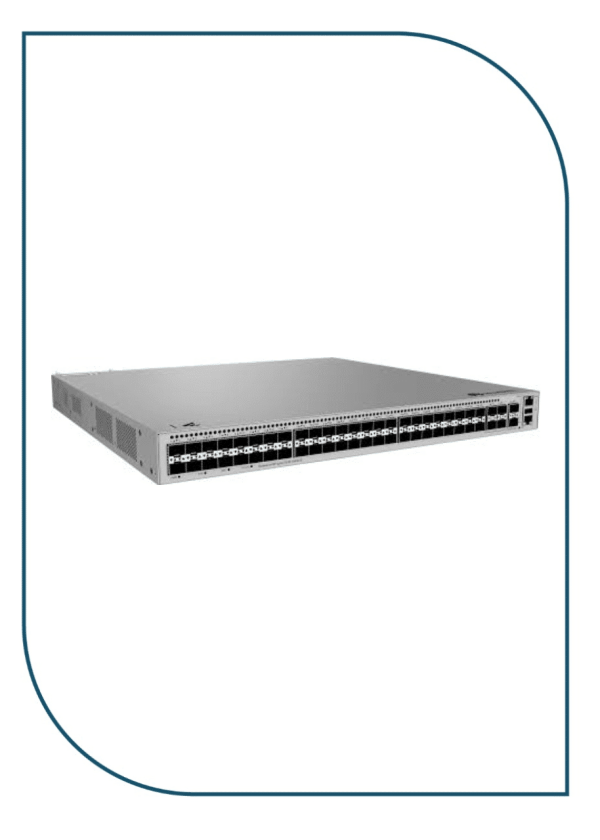
Huawei eKitEngine S530-48S4XE 48-Port GE SFP Aggregation Switch with 4x 10GE SFP+ (S530-48S4XE)
In stock
46.990,00 EGP
SKU:
S530-48S4XE
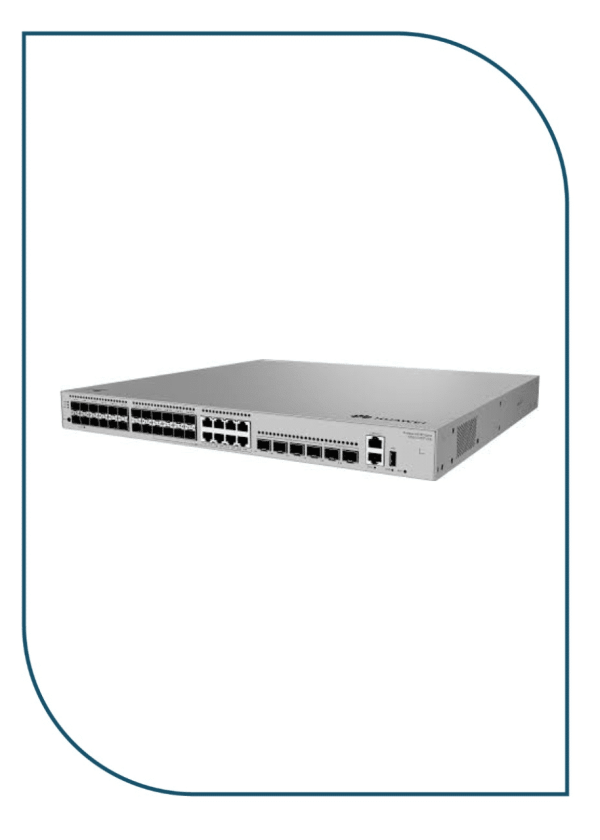
Huawei eKitEngine S530-24ST4XE 24-Port GE SFP Aggregation Switch with 4x 10GE SFP+ (S530-24ST4XE)
In stock
42.950,00 EGP
SKU:
S530-24ST4XE
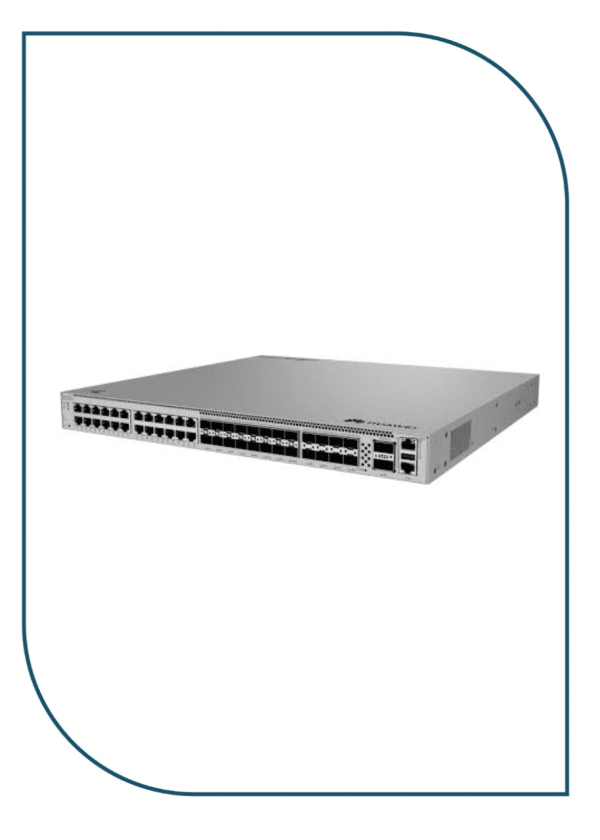
Huawei eKitEngine S620-24T16X8Y2CZ Enterprise Core Switch with 2x 100GE & 8x 25GE (S620-24T16X8Y2CZ)
Available on backorder
90.999,00 EGP
SKU:
S620-24T16X8Y2CZ
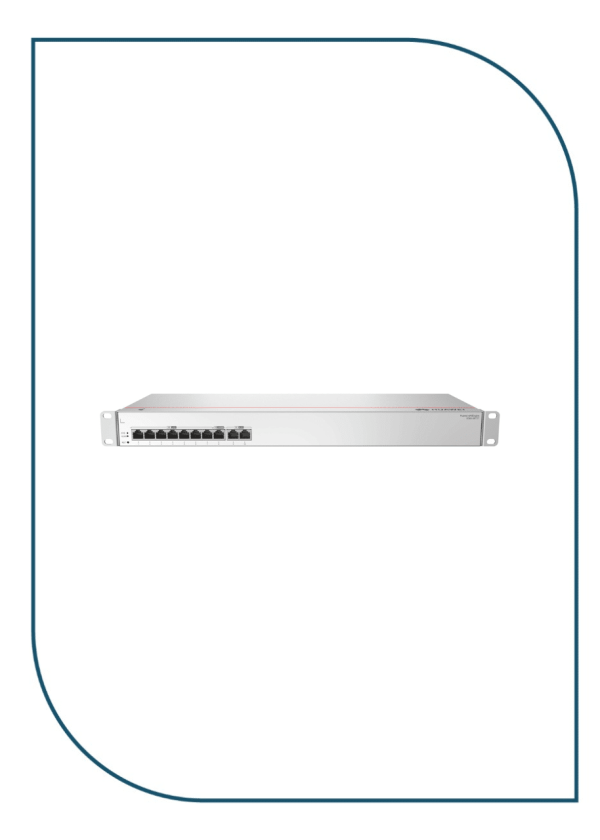
Huawei eKIT S380-S8T2T Multi-Service Gateway with Dual GE WAN Ports (S380-S8T2T)
In stock
10.990,00 EGP
SKU:
S380-S8T2T

Eng. Eslam El Fiky
Co-Founder & Managing Director
Enterprise IT systems specialist and telecom infrastructure strategist. Eng. Eslam oversees BSMART Networks' enterprise hardware distribution, server rack infrastructure, and vendor alliances with global brands like Huawei across Egypt and the MENA region.


